Introduction
Software has become an essential part of modern business, education, communication, entertainment, and everyday life. From accounting programs and design applications to customer relationship management platforms and productivity tools, software helps people perform tasks faster and more efficiently.
One important distinction in today’s technology landscape is software vs SaaS. Although Software as a Service (SaaS) is a type of software, the way SaaS products are delivered, accessed, updated, and paid for can be very different from traditional software.
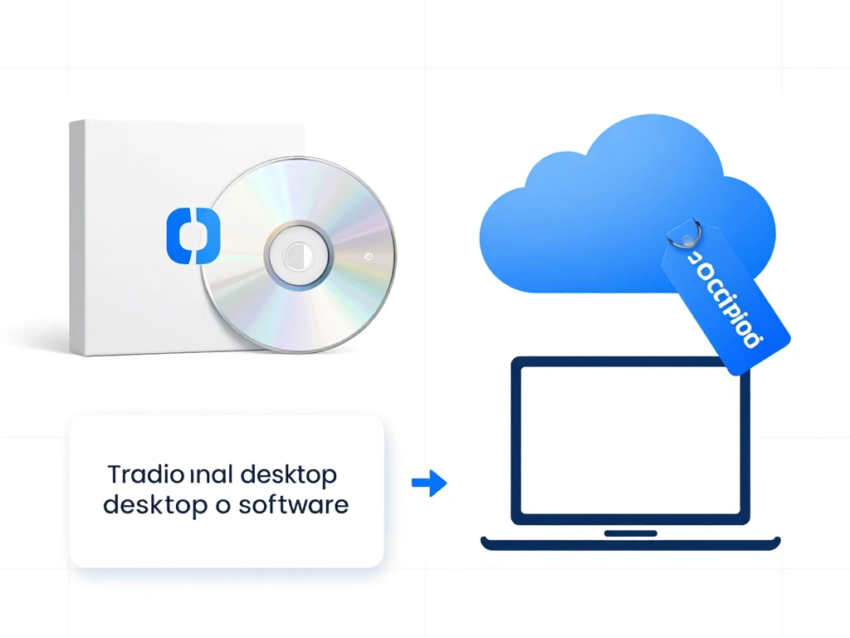
Traditional software may need to be installed directly on a computer or managed on company-owned infrastructure. SaaS applications are generally hosted by a service provider and accessed through the internet, often using a web browser or dedicated application.
Understanding the difference between software and SaaS can help businesses, developers, and individual users choose the right technology for their needs.
This guide explains software vs SaaS, including their key differences, benefits, costs, security considerations, use cases, advantages, limitations, and important factors to consider before choosing a solution.
What Is Software?
Software is a collection of programs, instructions, and data that tells a computer or digital device how to perform specific tasks.
Software can be designed for almost any purpose, including:
- Word processing
- Graphic design
- Accounting
- Video editing
- Gaming
- Data management
- Communication
- Business operations
- Programming
- Security
Traditional software is often installed directly on a computer, server, or other device.
For example, a company might purchase a desktop accounting application and install it on its office computers. The organization may then be responsible for updates, backups, compatibility, and infrastructure depending on the software model.
Software can be purchased through different licensing models, including one-time purchases, subscriptions, volume licenses, and enterprise agreements.
What Is SaaS?
SaaS, or Software as a Service, is a software delivery model in which applications are generally hosted and managed by a service provider.
Instead of installing and maintaining the entire application locally, users typically access SaaS applications through the internet.
Common SaaS categories include:
- Customer relationship management
- Project management
- Accounting
- Cloud storage
- Email marketing
- Human resources
- Communication
- Collaboration
- Cybersecurity
- Business analytics
SaaS providers generally manage the underlying infrastructure, application updates, maintenance, and many aspects of availability.
Users usually pay through a subscription model based on factors such as the number of users, features, storage, or usage.
Software vs SaaS: The Basic Difference
The simplest way to understand the difference is to look at how software is delivered and managed.
Traditional software is commonly installed and operated on a user’s own device or infrastructure.
SaaS is generally hosted by a provider and accessed remotely through the internet.
For example, a traditional application might require downloading an installer, configuring the program, and managing updates.
A SaaS application may only require creating an account and signing in through a browser.
However, the distinction is not always absolute. Modern software can combine local applications with cloud services, while some SaaS products also provide desktop and mobile applications.
Software vs SaaS: Key Differences
1. Installation
Traditional software often requires installation on a computer or server.
SaaS applications generally do not require users to install the complete application locally because the core service is hosted by the provider.
Some SaaS platforms still offer desktop or mobile apps, but these applications usually connect to cloud-based services.
2. Infrastructure
Traditional software may depend on local computers, servers, storage, or company-managed infrastructure.
SaaS providers generally operate the infrastructure needed to deliver their applications.
This can reduce the infrastructure management burden for customers.
3. Updates
With traditional software, users may need to download and install updates manually.
SaaS providers usually manage application updates centrally.
This means customers can often receive new features, security improvements, and bug fixes without performing traditional software upgrades themselves.
4. Accessibility
Traditional software may be limited to devices where it has been installed and licensed.
SaaS applications are generally accessible from multiple devices as long as users have an internet connection and appropriate account access.
This makes SaaS particularly useful for remote and hybrid work environments.
5. Pricing
Traditional software may use a one-time license, subscription, or other licensing model.
SaaS commonly uses recurring subscriptions.
Pricing can be based on:
- Number of users
- Monthly usage
- Annual contracts
- Storage
- Features
- API usage
- Service levels
A subscription can lower the initial cost of adopting some software, but long-term expenses should be evaluated carefully.
6. Maintenance
Traditional software may require customers or internal IT teams to manage installation, upgrades, compatibility, backups, and infrastructure.
SaaS providers typically handle much of the application maintenance.
However, customers are still responsible for areas such as account management, permissions, configuration, and appropriate data governance.
Benefits of Traditional Software
Traditional software can still be useful in many situations.
Greater Local Control
Organizations may have greater control over where applications and data are stored when using locally managed software.
Offline Access
Some traditional applications can work without an internet connection.
This can be important for environments where reliable internet access is limited.
Customization
Certain enterprise software products can provide extensive customization options.
Predictable Infrastructure
Organizations with established IT infrastructure may prefer applications that fit directly into their existing systems.
Long-Term Licensing Options
Some software products offer licensing models that can make sense for organizations that want to avoid recurring subscriptions.
Benefits of SaaS
SaaS offers several important advantages for modern businesses and users.
Easy Deployment
SaaS applications can often be deployed quickly because users do not need to install and configure complex infrastructure.
Automatic Updates
Providers can deliver updates centrally.
Remote Accessibility
Users can access many SaaS applications from different locations and devices.
Scalability
Businesses can often add or remove users as their needs change.
Lower Infrastructure Requirements
Customers generally do not need to operate the underlying servers that host the SaaS platform.
Collaboration
Many SaaS products are designed for multiple users working together in real time.
Faster Adoption
Cloud-based applications can often be introduced across an organization without lengthy local installation processes.
SaaS Costs and Traditional Software Costs
Cost is an important part of the software vs SaaS decision.
Traditional software can involve:
- License fees
- Hardware
- Server costs
- Installation
- Maintenance
- IT staff
- Upgrades
- Backup infrastructure
SaaS may involve:
- Monthly subscriptions
- Annual subscriptions
- User-based pricing
- Storage costs
- Premium features
- API or usage charges
- Implementation services
A SaaS subscription may appear cheaper initially, but organizations should calculate the total cost of ownership over several years.
Similarly, traditional software may have a larger initial investment but potentially different long-term costs.
Software vs SaaS for Small Businesses
Small businesses often need technology that is affordable, easy to deploy, and simple to manage.
SaaS can be attractive because businesses can start with a small number of users and expand as they grow.
For example, a small company may use SaaS platforms for:
- Accounting
- Email marketing
- Customer management
- Project management
- Cloud storage
- Communication
This approach can reduce the need for large internal IT infrastructure.
However, small businesses should carefully evaluate subscription costs and avoid paying for unnecessary features.
Software vs SaaS for Enterprises
Large organizations often use a combination of traditional software, SaaS, cloud platforms, and custom applications.
Enterprise organizations may require:
- Advanced security
- Compliance controls
- User management
- Single sign-on
- Audit logs
- API integrations
- Data governance
- Custom workflows
- Enterprise support
SaaS can simplify deployment, but large organizations should carefully review provider security, data handling, availability, contracts, and integration capabilities.
Security Differences Between Software and SaaS
Security should be considered carefully when comparing software and SaaS.
With traditional software, organizations may have more direct responsibility for infrastructure security.
With SaaS, the provider manages much of the underlying infrastructure, but customers still need to manage their own accounts, permissions, data, and configurations.
Important SaaS security practices include:
- Multi-factor authentication
- Strong passwords
- Role-based access
- Least-privilege permissions
- Single sign-on
- Regular access reviews
- Encryption
- Backup strategies
- Security monitoring
Businesses should also understand how a SaaS provider handles customer data and security incidents.
SaaS Integration With Other Software
One major advantage of modern SaaS platforms is integration.
Many SaaS products provide APIs and connectors that allow them to communicate with other applications.
For example, a business could connect its:
CRM + accounting software + marketing platform + customer support system
This can reduce manual data entry and improve workflow automation.
API-based integration is especially important for businesses that use multiple cloud services.
Software and SaaS for Remote Work
Remote work has increased demand for cloud-based applications.
SaaS platforms can allow employees to access business systems from different locations.
Cloud collaboration tools can support:
- File sharing
- Communication
- Project management
- Online meetings
- Document editing
- Customer management
Organizations should still implement strong identity and access controls when employees work remotely.
AI and the Future of SaaS
Artificial intelligence is increasingly becoming part of modern SaaS applications.
AI-powered SaaS tools can provide features such as:
- Automated content generation
- Intelligent search
- Data analysis
- Customer support
- Predictive insights
- Workflow automation
- Personalized recommendations
Agentic AI could also make SaaS platforms more capable of completing multi-step workflows.
For example, an AI-enabled business platform could potentially analyze a customer request, retrieve approved information, prepare a response, and create a follow-up task.
Human oversight remains important, particularly when AI systems can take actions on behalf of users.
SaaS and Business Automation
SaaS platforms can support automation across many departments.
Businesses can automate:
- Email campaigns
- Customer notifications
- Invoice processing
- Employee onboarding
- Task assignments
- Reporting
- Data synchronization
Automation can reduce repetitive work and allow employees to focus on more complex activities.
However, businesses should monitor automated workflows to ensure that errors do not spread across connected systems.
Challenges of Traditional Software
Traditional software can have several limitations.
Installation Requirements
Some applications require complex installation and configuration.
Maintenance
Organizations may need to manage updates and compatibility.
Infrastructure Costs
Enterprise deployments can require expensive hardware and IT resources.
Limited Mobility
Some locally installed applications may not support flexible remote access.
Upgrade Complexity
Major software upgrades can require planning and testing.
Challenges of SaaS
SaaS also has potential disadvantages.
Subscription Costs
Recurring fees can become significant over time.
Internet Dependency
Many SaaS applications require reliable internet connectivity.
Vendor Dependence
Customers depend on the provider for service availability and continued support.
Data Privacy
Businesses must understand how providers store and process customer data.
Service Availability
Provider outages can temporarily affect access.
Limited Customization
Some SaaS products may not support every specialized business requirement.
How to Choose Between Software and SaaS
The right choice depends on the user’s requirements.
Ask the following questions:
- Do you need offline access?
- How many users will use the application?
- What is your technology budget?
- Do you have an internal IT team?
- How important is remote access?
- What security requirements do you have?
- Does the application need integrations?
- How much customization is required?
- What data will the application handle?
- What will the total cost be over several years?
These questions can help businesses identify whether traditional software, SaaS, or a combination of both is appropriate.
Software vs SaaS: Can Businesses Use Both?
Yes. Many businesses use hybrid software environments.
A company may use traditional desktop applications for specialized tasks while using SaaS platforms for collaboration, customer management, accounting, and communication.
This approach can provide flexibility.
The important goal is to create a technology environment that meets business requirements without unnecessary complexity.
Future of Software and SaaS
The difference between traditional software and SaaS may continue to become less obvious.
Modern applications increasingly combine:
- Cloud computing
- Local applications
- AI
- Automation
- APIs
- Edge computing
- Real-time data
- Mobile access
Future SaaS platforms may become more intelligent and automated.
AI agents could potentially interact with multiple SaaS applications and coordinate business processes.
At the same time, traditional software will continue to have a role in areas that require offline operation, specialized infrastructure, high customization, or direct environmental control.
Conclusion
Understanding software vs SaaS is important when choosing technology for personal or business use.
Traditional software is commonly installed and managed on local devices or infrastructure, while SaaS applications are generally hosted by service providers and accessed through the internet.
SaaS offers advantages such as easy deployment, automatic updates, remote accessibility, scalability, collaboration, and reduced infrastructure management. Traditional software can provide benefits such as offline access, local control, customization, and different licensing options.
Neither model is suitable for every situation.
The right choice depends on factors including cost, security, accessibility, infrastructure, customization, integration, data requirements, and long-term business goals.
For many modern organizations, the practical solution may not be choosing one model exclusively. A combination of traditional software, SaaS applications, cloud infrastructure, and custom systems can provide the flexibility required by different departments and workflows.
As artificial intelligence and automation become more integrated into software, SaaS platforms are likely to become increasingly intelligent and capable.
Ultimately, businesses should focus on choosing technology that solves real problems, provides appropriate security, delivers measurable value, and can adapt as their needs change.